
If you have ever wanted to be able to start up a blank wordpress installation in just a few clics in order to test a particular plugin or try out a new project, then you are in luck.
In this article l’m going to showcase TasteWP which is a website that helps you create wordpress installs in just seconds.
What is a dev environment?
Tools like Tastewp are mainly used as developpement environments for testing out new plugins/themes without risking your live site. They are not a new concept and in fact there are quite a few free option lying around. At the end of this article, l’ll share with you a few alternatives l’ve played around with.
If you are still wondering why you even need a dev environment, here are a few reasons that speak to my needs.
- Testing environment: I use them to quickly test out new plugins or themes in case l don’t want to create a new wordpress installation in my hosting or fire up a local install.
- Client work: Sometimes l also use it to show a potential client what their website would look like after l’ve worked on it (as opposed to using local by flywheel which l find limited when it comes to showing the website to a client)
- For Tutorials: l have a youtube channel where l publish wordpress tutorials and these environments help me get setup really quickly.
Tastewp – The new kid on the block
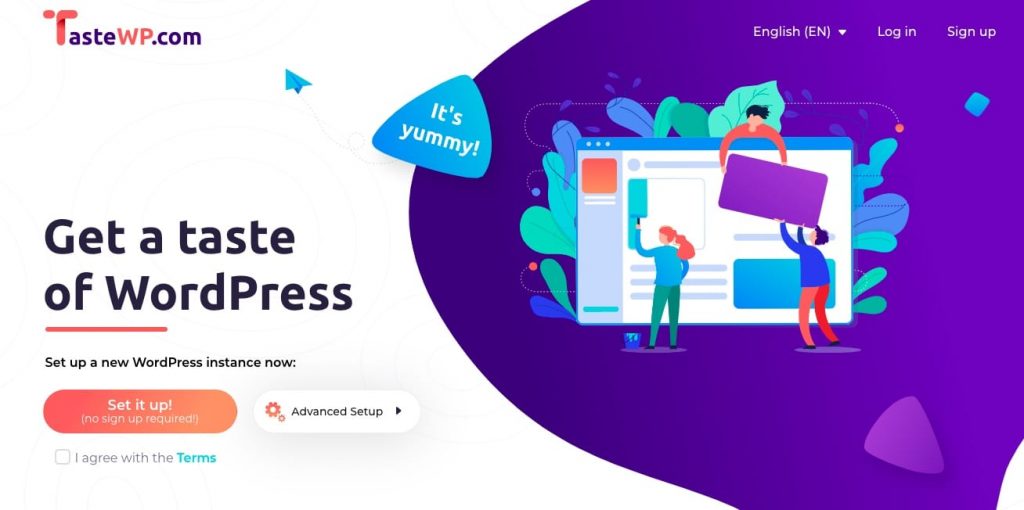
Tastewp helps you run a wordpress install on their server in literally seconds (don’t believe me, check it out for yourself).
The great part about this is that you don’t even have to be logged in (logged out instances expire after 2 days).
Getting started
You can setup your first wordpress install in literally seconds. Just go to TasteWP.com‘s homepage and click on “set it up”. In a matter of seconds you’ll be redirected to your new playing ground. It’s as simple as that.
Even though it’s possible to use TasteWP without being logged in, signing up brings a couple of perks like:
- Being able to choose your subdomain (assigned randomly if logged out)
- Extending the expiration time from 2 days to 7 days
Advantages and Disadvantages of using TasteWP?
Some advantages of using the service as it is now are being able to:
- Install 2 websites while logged out
- Install 6 websites if logged in
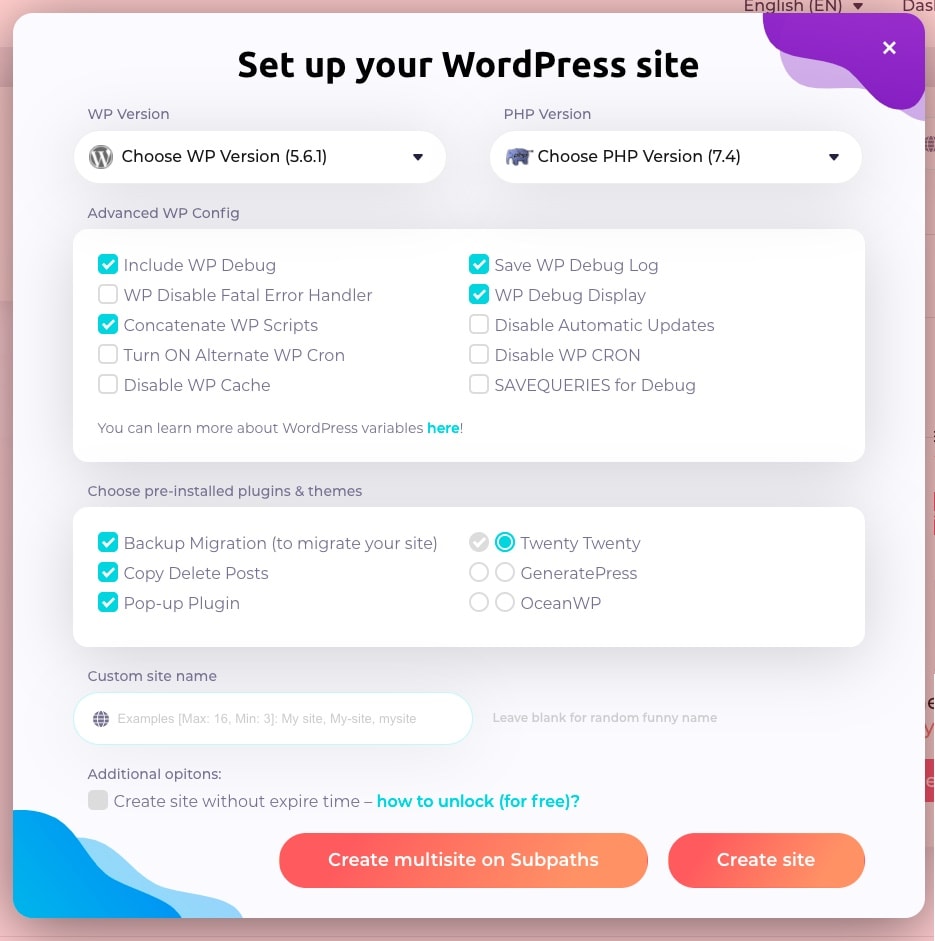
- Migrate your website to another host using their “WP Clone” plugin
- They support multisite
- You can change the PHP and wordpress version
- Quick and Clean use interface
Aside from all these great features, there are some drawbacks:
- Your wordpress instance is deleted once time runs out (Major issue)
- At the moment, you cannot change your domain name
- You are limited to 220MB per instance
As of now they are offering an extension to your installation through invitation points. If you invite two people to their platform, you will gain a non expiring install.
Here is my link if you don’t mind helping me secure one for my tutorials.
Future plans for TasteWP
Tastewp is still new in the market and only offers a few options right now. However, they have announced that some features will be coming soon like:
- Hosting plans for websites
- Onboarding environment for wordpress newbies (great if you have clients)
Alternatives
As of the moment, there are a few other players that l have played around with that offer the same services.
Wordify is a managed wordpress hosting company that offers unlimited installs (under 2gb storage combined). The main problem l’ve come around with it is that for someone to see the website, they have to be connected (there is a firewall for logged out viewers).
Trincheradev.com. Previously Demoswp.dev, this one is quite interesting since it offers 5 wordpress installs with a 500MB limit for 7 days. Once the time runs out the install pauses instead of being deleted.
If you know of any other services that provide this, please share them in the comment section.
Who is TasteWP for?
TasteWP will work great for you if:
- you like playing around with new themes and plugins and want a quick way to access your playing environment.
- You are doing client outreach and want to show them what their website would look like under your care.
- You are a content creator, be it for youtube or for your clients and you want a quick access to wordpress
- You like testing out new wordpress site ideas and dread setting up a local environment or creating a new instance in your hosting environment.
Conclusion
Companies come and go and even though they may provide free services, the amount of time you spend learning to use them and maybe eventually relying on them might create vulnerabilities in your workflow.
A few months ago l personally witnessed this when demoswp.dev shut down with a month’s notice. I Used it for outreach to new clients and testing out new plugins and themes and all that came to a halt rather quickly.
The reason of this shutdown was lack of funding so l’m very curious to know how TasteWP plans on securing funding. Since it’s backed by a company that has been creating wordpress products for a while, l’m hoping that will help them in having a good gameplan for staying in business for a long time.
As it stands at the moment, l’m only using it to do filmed tutorials and plugin tests. This may change if they continue to offer more and more features that set them apart from the rest.